ODBC Driver for Salesforce

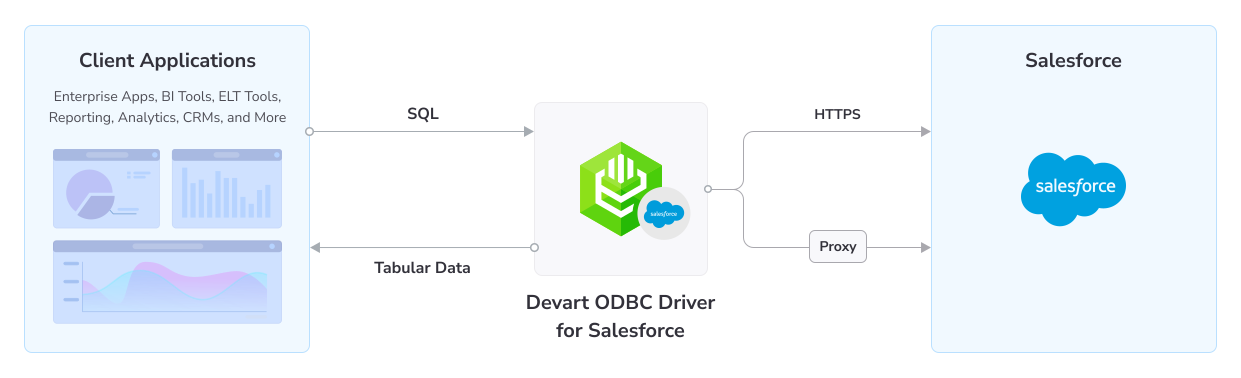
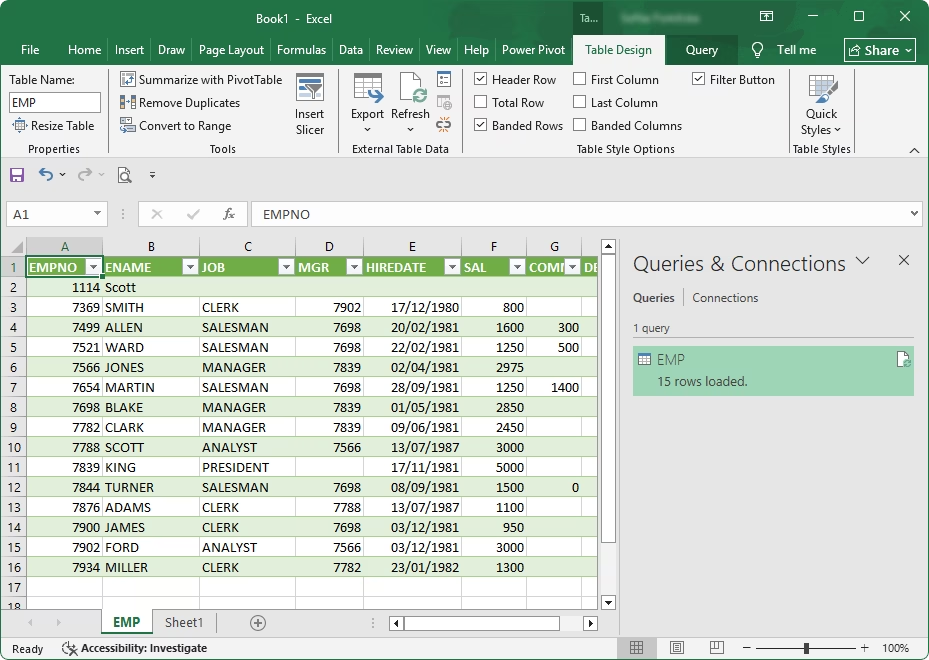
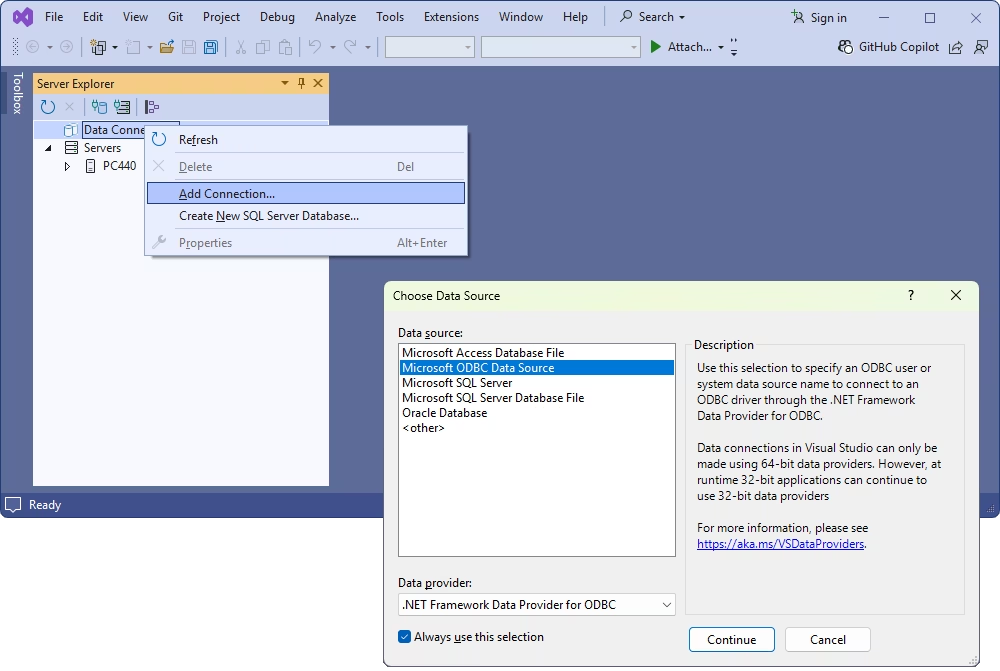
Devart ODBC Driver for Salesforce is a high-performance data connector for developers and data analysts. It provides direct access to Salesforce from any ODBC-compliant reporting, analytics, BI, or ETL tool, across 32-bit and 64-bit systems.

With built-in OAuth support, this solution lets you connect securely over HTTPS by simply entering your credentials with no additional app registration required.

  • Verified compatibility with multiple BI and ETL tools
  • Simple installation on multiple computers
  • Easy access to live data from anywhere
  • Fast data transmission
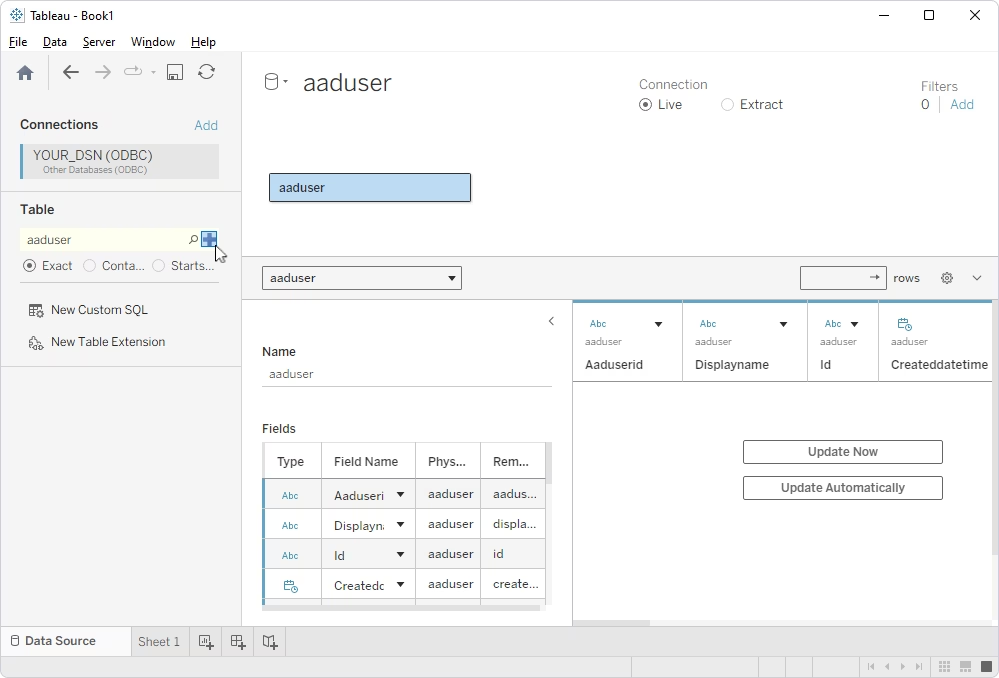
How ODBC Driver for Salesforce works

Advanced SQL query engine

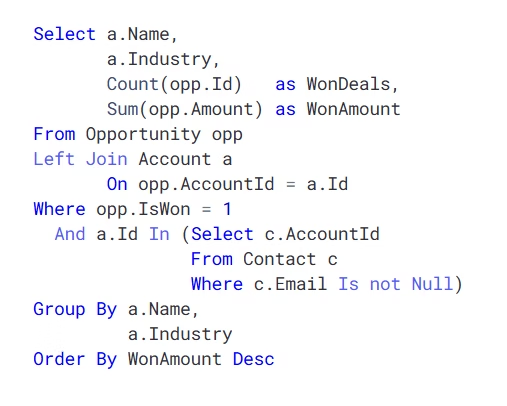
The Driver provides the ability to work with Salesforce objects in the same way as with SQL tables. Advanced SQL syntax enables full use of SQL-92 features in standard SELECT statements.

  • Complex JOINs
  • WHERE conditions
  • GROUP BY statements
  • ORDER BY clauses
  • Aggregation functions
  • Subqueries
  • ...and many more
Extended SQL syntax

Features

Support for SQL syntax

Extended SQL-to-SOQL syntax

You can use familiar SQL (JOINs, WHERE, GROUP BY, subqueries) to query Salesforce objects as if they were database tables.

Bidirectional mapping between Oracle and ODBC data formats

Real-time Salesforce connectivity

The Driver provides access to live Salesforce data instantly from any ODBC-compatible analytics, BI, or ETL tool.

Support for data manipulation operations

Support for DML operations

The ODBC Driver allows you to execute core DML commands—INSERT, UPDATE, and DELETE—directly on Salesforce data using the familiar SQL-style syntax.

Support for bulk data updates

Bulk data operations

The ODBC Driver enables high-volume data operations—batch inserts, updates, or deletions—to modify large sets of Salesforce records quickly and efficiently.

Optimized database operations with caching and connection pooling

Full ODBC compliance

The Driver fully supports standard ODBC API functions and data types for broad compatibility across applications.

Storing metadata locally for faster access

Metadata caching

Schema information (tables, columns, types) is stored locally to speed up metadata retrieval and reduce API calls.

Reuse of connections

Connection pooling

The Driver reuses previously opened connections, improving performance during multiple Salesforce requests.

Retrieval of relationships for mapping purposes

Foreign keys retrieval

You can retrieve relationships (foreign keys) from the Salesforce schema for relational mapping and integrity checks.

Pricing

ODBC Driver for Salesforce

Starts from

$179.95
per year
Try the Driver

Key features:

  • Simple installation in a few clicks (no additional software required)
  • Integration with 200+ tools
  • OEM licensing model available
  • Instant access to real-time data from any location
  • Secure authentication with OAuth 2.0

ODBC Drivers Universal Bundle

Starts from

$499.95
per year
Try the Universal Bundle

Key features:

  • Support for all 92 ODBC Drivers
  • Easy access to live data from anywhere
  • Full support for standard ODBC API functions and data types
  • No need for database client libraries
  • Support for ODBC-compliant reporting, analytics, BI, and ETL tools
  • Secure connections via SSL, SSH, and HTTPS tunneling

Verified compatibility with 200+ tools

Devart ODBC Drivers are verified to be compatible with leading analytics and reporting tools, various IDEs and programming languages. Get fast and secure access to your data in any application using our ODBC Drivers!

Roles

Office employee checking a smartphone

Managers and analysts

Use Salesforce through ODBC to access, analyze, and report on CRM data with familiar BI and analytics tools. Quickly connect to live Salesforce objects, run ad-hoc queries, and generate reliable insights without complex API work or custom integrations.

IT & data teams

Manage, secure, and integrate Salesforce data across enterprise environments using standardized ODBC connectivity.

Developers

Build, test, and deploy applications that work with Salesforce data through a consistent ODBC interface.

ODBC Universal Bundle

Get high-performance ODBC Drivers for 92 databases and cloud services in a single Universal Bundle with a 95% discount

Ready to get started?

Get a 30-day free trial now

Get a 30-day free trial now

You can download our ODBC Driver for a free 30-day trial. It is a great way to see the Driver in action with no hurry.

Enjoy bulk discounts

Enjoy bulk discounts

We offer flexible options to meet your budget in the optimal way. You can get bulk discounts for multiple purchases.

Need a hand?

Need a hand?

If you need any help or have questions about our connectivity solutions or purchasing options, feel free to get in touch.

FAQ

What is the ODBC Driver for Salesforce?

Devart ODBC Driver for Salesforce is a connector between an external application or a programming language and a Salesforce data source. The Driver uses the Open Database Connectivity interface to access Salesforce data, querying it in accordance with the SQL standards. Via the Driver, you can send SQL queries to Salesforce data sources and receive results in your application.

How do I install the ODBC Driver for Salesforce on Windows 11?

To install the ODBC Driver for Salesforce on Windows, follow the steps below:

  1. Download the installer for Windows.
  2. Run the installer and follow the instructions in the installation wizard.
  3. After the installation is complete, activate the Driver by pasting your activation key into the appropriate field or uploading the file containing your key.
Can I use the ODBC Driver for Salesforce without installing additional client software?

Yes. You can use the Driver to connect to Salesforce instances directly with no additional client software required.

How do I use ODBC with Salesforce?

To start using the ODBC Driver for Salesforce, install and activate the Driver and connect to a Salesforce instance using your user credentials. When connected, you can access Salesforce data from your applications.

How do I download a trial version of the ODBC Driver for Salesforce?

To download a fully-functional 30-day trial version of the Driver, click the Download link at the top of the page, select the installer corresponding to your operating system, and click Download. If you are not logged in, click Get Trial, sign up or sign in to your Devart account, and proceed with downloading the installer.

Is registration or email required to download the Salesforce ODBC driver?

Yes. To download the installer file for the ODBC Driver for Salesforce, you need to sign in to your Devart account or create one.